Website analytics, without cookies by default.
In the default mode there is no cookie, no localStorage and no fingerprint, so no consent banner. Here is how it works, the honest trade-off, and what changes if you turn cookie mode on.
In short
Do I need a cookie banner for analytics?
Only if the analytics stores or reads something on the visitor's device. The EU ePrivacy rule governs storage on terminal equipment, not measurement itself. Analytics that sets no cookie, touches no localStorage, and does not fingerprint has nothing to ask consent for, so no banner is required.
This is the part most teams get wrong. The banner is not triggered by “you are doing analytics”. It is triggered by “you are writing to my device”. Remove the writing and the obligation goes with it.
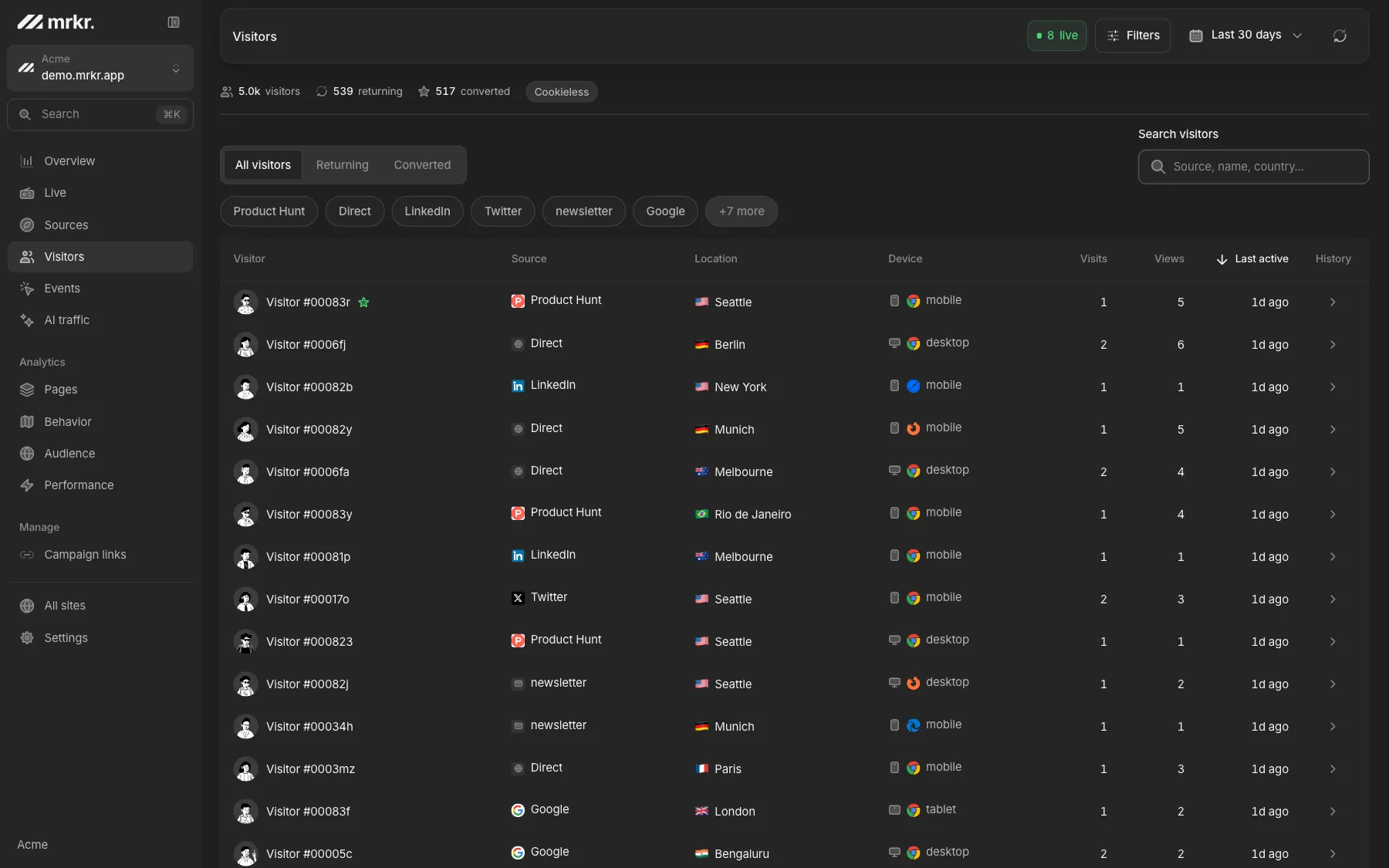
What a cookieless visitor actually looks like.
Cookieless does not mean anonymous mush. A visit still carries its source, its pages, its device, its engagement, and its events.
What it does not carry is a name that survives to tomorrow. The handle you see is stable for one day on one site, and then it is gone by construction.
How a visitor is counted with no cookie.
Derived, not handed out
IP, user agent, site, and a secret salt are hashed together. The IP goes into the hash and is discarded, never stored.
The salt rotates every 24 hours
That is what separates this from fingerprinting. The same visitor hashes to a different value tomorrow.
Built to expire, not to persist
Daily uniques are accurate and cross-day identity is impossible by construction. The only thing kept on the device is a per-tab session key the browser discards when the tab closes, which cannot recognise anyone on a later visit.
Compared
What each approach actually stores.
| Feature | Cookie-based analytics | Fingerprinting | Cookieless (mrkr) |
|---|---|---|---|
| Writes to the device | A durable cookie | Reads the device instead | A per-tab session key, gone when the tab closes |
| Consent banner required in the EU | Yes | And it is worse | No |
| Identifier lifespan | Months to years | Designed to persist | 24 hours |
| Can follow a person across days | Yes | Yes | No |
| Stores raw IP | Often | Often | No, hashed and discarded |
| Survives a cleared browser | No | Usually yes | n/a |
| Accurate daily visitor counts | Yes | Yes | Yes |
| Multi-day attribution windows | Yes | Yes | No |
Live demo
Cookieless numbers, on real traffic. Every figure in the live demo was collected the way this page describes: a salted signal that rotates daily, with no cookie and no banner, which is the default mode. Open it and see what that gives you.
Open the live demoWhat you actually gain.
The traffic the banner was eating
Decliners are never a random sample. Removing the banner removes a systematic skew, not just lost volume.
A faster first paint
A consent manager is 30 to 80 kB of blocking JavaScript. Deleting it usually beats anything you do to your own bundle.
A shorter procurement review
No cookies means no cookie table in the privacy policy, and a much shorter answer to the legal questionnaire.
Compared
The two modes, side by side.
Cookie mode, a per-site option in mrkr
- A first-party cookie that lasts a year, so one person is recognised across days and weeks
- Multi-day and multi-session attribution windows
- More accurate returning-visitor counts
- A consent banner is required, and the data lost to it comes back with it
Cookieless mode, the default
- No cookie and nothing that outlives the tab, so no consent banner is required
- A salted signal that expires every 24 hours by construction
- Accurate daily uniques, sources, campaigns, pages, funnels, and revenue
- No cross-day identity, so long consideration windows cannot be measured
- Within one session attribution is intact; across sessions it is not, so multi-touch windows are out
FAQ
Do I need a cookie banner for analytics?
Only if your analytics stores or reads something on the visitor's device. The EU ePrivacy rule is about storage and access on terminal equipment, not about analytics as an activity. A tool that sets no cookie, reads no localStorage, and does not fingerprint has nothing to ask permission for.
How does cookieless analytics count returning visitors?
By hashing a few request signals, typically IP address, user agent, and the site domain, together with a secret salt that is rotated every day. The same person on the same day produces the same hash. Tomorrow they produce a different one, so the identifier cannot follow anyone across days.
Is cookieless analytics GDPR compliant?
Cookieless counting avoids the ePrivacy consent requirement because nothing persistent is stored on the device. Under GDPR, a daily-rotating salted hash that cannot be reversed and cannot be linked across days is generally treated as not identifying a person. Nothing on this page is legal advice, and your DPO should confirm it for your setup.
Is a daily-rotating hash the same as fingerprinting?
No, and the difference is the rotation. Fingerprinting builds a stable identifier designed to persist and follow someone. A salted hash that is thrown away every 24 hours is designed to stop working, which is the opposite goal.
What do I lose by going cookieless?
Cross-day identity. You cannot follow one person's journey across a week, so multi-session attribution windows and long user timelines are out. You still get accurate daily visitors, sources, campaigns, funnels within a session, and revenue.
Can I turn cookies back on if I need them?
In mrkr, yes, per site. Cookie mode gives you cross-session identity, and then you do need a consent banner for that site. Cookieless is the default because most teams want the banner gone more than they want the extra window.
Start with one line of HTML.Your first visitors show up within a minute.