Everything mrkr measures. One product, one script, and a page for each capability that says what it does and where it stops. Cookieless by default, with an optional cookie mode per site.
In short
What does mrkr do?
mrkr is privacy-first web analytics with the product-analytics parts included: session replay, funnels, revenue attribution, engagement, Core Web Vitals, realtime, campaign tracking, AI crawler reporting and bot filtering. It runs cookieless by default, so no consent banner is required for it, and a managed first-party proxy keeps the requests arriving.
Most tools in this category are a pageview counter with a privacy position. Most tools that do replay and funnels set cookies and need consent. The whole design here is to not make you choose.
Understand your visitors.
Website visitor tracking
Every visit as a journey, with identities that rotate daily by default.
Session replay
Watch the visit back, with input masked in the browser before it is sent.
Engagement metrics
Foreground and engaged time, separated from idle and hidden tabs.
Returning visitors
Stickiness, returning share, and a straight answer on what needs cookie mode.
Realtime analytics
A five-minute live window, refreshed every five seconds.
Connect traffic to outcomes.
Funnel analysis
Per-step drop-off, and one click from the bar to the sessions that stalled.
Revenue attribution
One call at checkout, and every source carries a money column.
UTM tracking
Tagged links classified on arrival, then followed through to revenue.
Core Web Vitals monitoring
LCP, CLS, INP, TTFB and FCP from real visits, graded at p75, never billed.
Free UTM builder
Compose a tagged campaign link in the browser, with no account needed.
The live demo
Every view above, populated with real demo traffic, and no signup.
Keep the numbers honest.
Analytics without cookies
The daily-rotating salted hash that replaces the cookie, and what it costs.
Bot traffic filtering
Nine layers at ingest, and an aggregate of exactly what got caught.
Analytics adblockers do not block
A managed first-party proxy on your own subdomain, from one CNAME.
Server-side tracking
What mrkr does on the server, and the parts it deliberately does not.
AI traffic and crawler tracking
Visitors from AI answers, and which of 32 crawlers fetched your pages.
Security and data handling
Where data lives, how long it is kept, and how to get it out.
One dashboard, not six tabs.
Traffic, sources, funnels, recordings and revenue are one dataset with one set of filters. Applying a recorded event, a campaign or a country narrows all of them at once, which is what makes moving between them useful rather than a series of exports.
That also means one script and one bill instead of an analytics tool, a replay tool and a spreadsheet that reconciles them.
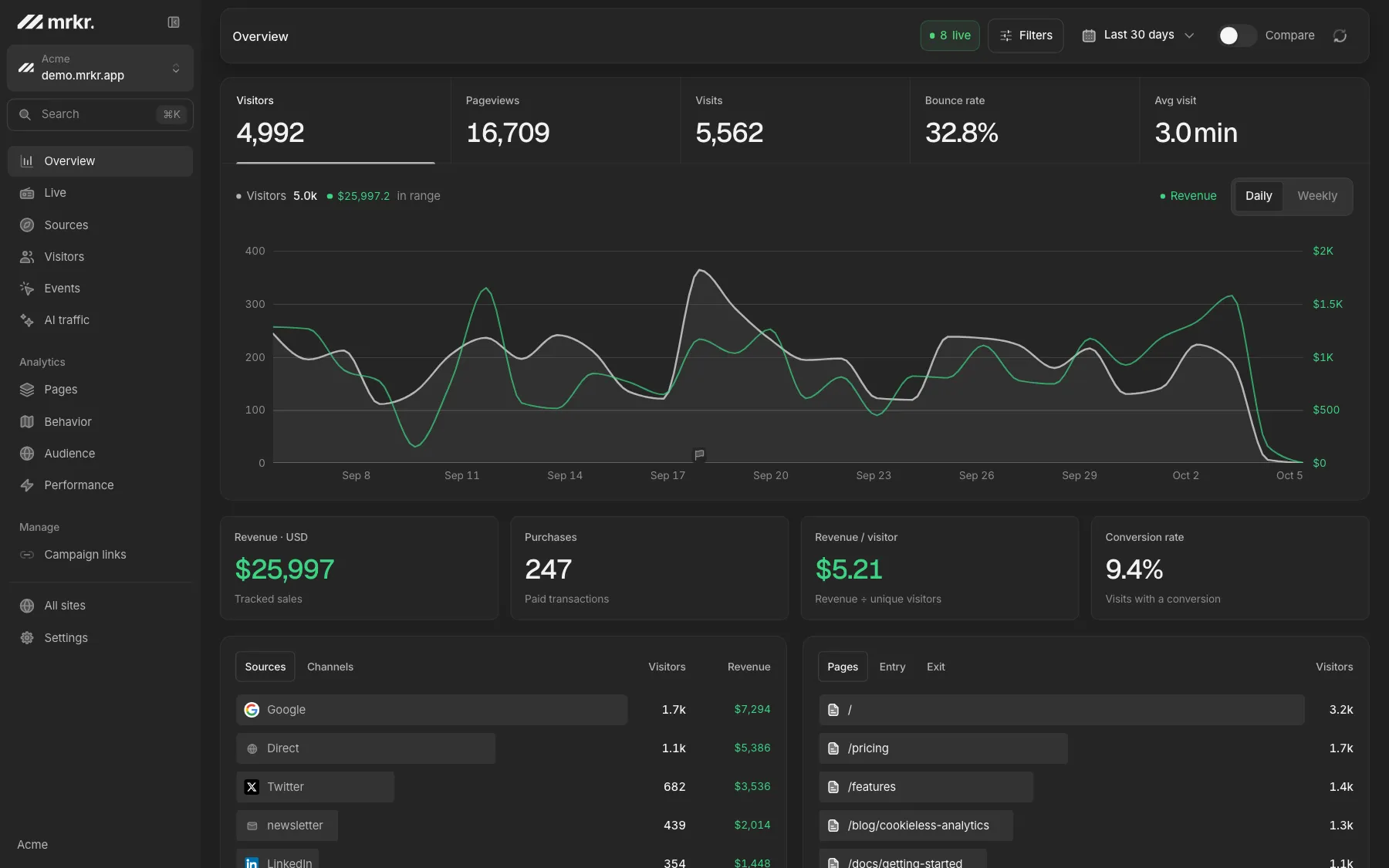
Live demo
Open the whole thing. The live demo is the full dashboard on real demo traffic: replay, funnels, revenue, engagement and realtime. No signup, no card.
Open the live demoCompared
What is included, and what is not. A short, honest inventory. The right-hand column is the part most feature lists leave out.
| Capability | In mrkr | The honest caveat |
|---|---|---|
| Session replay | On every paid plan | Not metered at all; recordings are kept for 90 days on every plan |
| Funnels | With drop-off inspection | Windows longer than a day need cookie mode |
| Revenue attribution | Per source and campaign | Last click within the session, no multi-touch model |
| Core Web Vitals | From real visits, never billed | Field data only, no synthetic runs and no alerting |
| AI crawler reporting | 32 crawlers, server side | Requires a one-line beacon from your edge or backend |
| First-party proxy | Managed, from one CNAME | Does not help against blanket JavaScript blocking |
| Heatmaps | No | If heatmaps are the job, Hotjar or Clarity is the better tool |
| Server-side event API | No | There is no supported way to post events from a backend |
FAQ
What does mrkr do?
mrkr is privacy-first web analytics: cookieless by default, with session replay, funnels, revenue attribution, engagement, Core Web Vitals, realtime, UTM campaign tracking, AI crawler reporting and bot filtering in one product, plus a managed first-party proxy so adblockers have nothing to match.
Is session replay included, or sold separately?
Included on every paid plan rather than priced per recorded session, and recordings are not metered at all. Billing counts pageviews and nothing else, so replay, web vitals, custom events, goals are all free.
Does mrkr need a cookie banner?
Not in its default cookieless mode, because nothing is used to identify visitors that persists beyond a day. Cookie mode is an optional per-site switch that gives you cross-session identity, and a site running in cookie mode does need consent.
Can I try it without signing up?
Yes. The live demo is a fully populated dashboard on real demo traffic, with every view in it, and needs no account and no card.
How many sites can I track?
Starter covers 3 sites and 100K pageviews a month, Pro covers 10 sites and 300K, and Business is unlimited sites with 1M. Every plan starts at $1 for 14 days, then bills at the plan price.
What does mrkr bill for?
Pageviews, and nothing else. Custom events, goals, revenue events, autocaptured clicks, engaged time, session replays and AI crawler hits are all stored without being counted. You are billed for the traffic you get, not for instrumenting your product.
Start with one line of HTML.Your first visitors show up within a minute.