Who is on your site right now. A five-minute live window, refreshed every five seconds, with countries, pages and sources behind it. When nothing is happening it says so rather than smoothing the gap.
In short
What is realtime analytics?
Realtime analytics shows who is on your site at this moment rather than what happened yesterday. mrkr counts anyone who sent an event in the last five minutes, refreshes every fifteen seconds, and shows where those people are, what they are reading, and which source brought them.
It is the one view whose value is entirely about latency. A launch, a post that took off, a broken deploy: all of them are visible here while you can still act, and invisible in a daily report until it is history.
A count, a map, and what they are reading.
The live count sits above a map, or a list, of current visitors with country, device and source where those are known, plus breakdowns of the most recent activity by country, path and device.
There is no historical fallback and no smoothing. If nobody is on the site, the page says nobody is on the site. That sounds obvious and it is not universal: plenty of tools quietly widen the window until the number stops being zero.
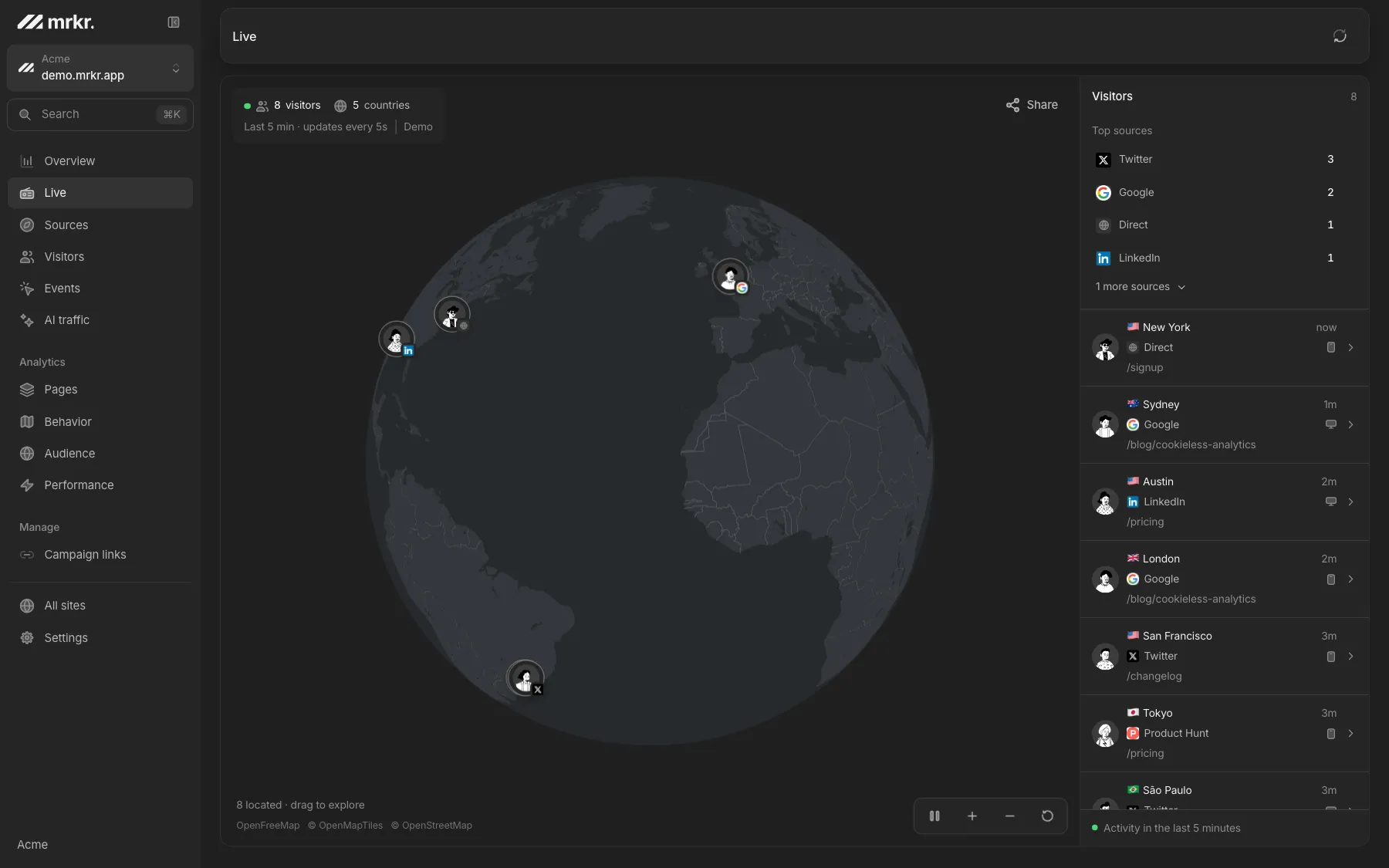
What realtime is actually for.
Watching a launch land
Whether it moved anything, which page people go to first, and whether the traffic came from where you expected.
Catching a break in minutes
A bad deploy shows as traffic collapsing on one path while everything else holds. Five minutes, not next morning.
Seeing a mention first
An unfamiliar referrer climbing the live source list is usually somebody talking about you somewhere.
Sharing the moment
A public live link or an embeddable counter, both scoped to a token you can revoke at any time.
Live demo
Watch it live. The live demo runs the realtime view on real demo traffic, refreshing on the same fifteen-second cadence. No signup, no card.
Open the live demoCompared
Three surfaces, three cadences. The live view and the embeddable counter each refresh on their own cadence.
| Surface | Window | Refresh | What it answers |
|---|---|---|---|
| Realtime | Last 5 minutes | Every 5 seconds | Who is here now, and where from |
| Embedded counter | Last 5 minutes | Every 15 seconds | A public live count on your own page |
Why the numbers are trustworthy live.
Bots are the most punctual visitors
An unfiltered live count is largely scraper activity. Nine filter layers run before anything is written.
Measured, not assumed
On one live site, 30 days held about four times as many bot hits as human pageviews. That is how wrong a raw count would be.
Caching that gets out of the way
Any range including today is stale after ten seconds, so a live view is never pinned to a cache floor.
FAQ
What is realtime analytics?
A view of who is on your site right now rather than what happened yesterday. It answers one narrow question, and its value is speed: you see a launch, a post, or an outage while you can still do something about it.
How does mrkr define a live visitor?
Anyone who has sent an event in the last five minutes. That single window drives the headline count, the visitor map and list, and every breakdown on the page, so nothing on screen is computed on a different definition.
How often does the realtime view refresh?
Every five seconds while the tab is visible, backing off briefly if the connection drops. The embeddable live counter refreshes every 15 seconds.
Does realtime work without cookies?
Yes. A live count needs to recognise a visitor for five minutes, not for five weeks, so the daily-rotating identifier used in mrkr's default cookieless mode is more than sufficient. No consent banner is required for it.
Can I put a live visitor count on my own site?
Yes. mrkr can issue a public embeddable counter widget you drop into your page with an iframe, and a public live link you can share with people who do not have a mrkr account. Both are token-scoped and can be revoked.
Why does my realtime count differ from my daily total?
They measure different things. Realtime counts distinct visitors active in a five-minute window. A daily total counts distinct visitors across the whole day. Somebody who visits three times in an afternoon is one visitor in the daily number and appears in realtime only while they are actually there.
Start with one line of HTML.Your first visitors show up within a minute.