Revenue tracking
Record purchases with mrkr.revenue(), what unit the amount is in, how zero amounts behave, and where the numbers show up on your dashboard.
mrkr.revenue() records a purchase amount against the current visitor and rolls it into your Revenue dashboard and per-source revenue breakdowns.
mrkr.revenue()
mrkr.revenue(49.00, { plan: "pro", currency: "usd" });The first argument is the amount; anything after it is an optional properties object, subject to the same limits as custom events.
What unit is the amount?
Send whole currency units, such as 49.00 for 49 dollars, and an explicit three-letter currency such as USD or CHF. mrkr does not convert currencies. Sources and Revenue let you choose one reporting currency at a time; totals and source breakdowns never add different currencies together. Events without a usable currency appear separately as currency not recorded.
How source attribution works
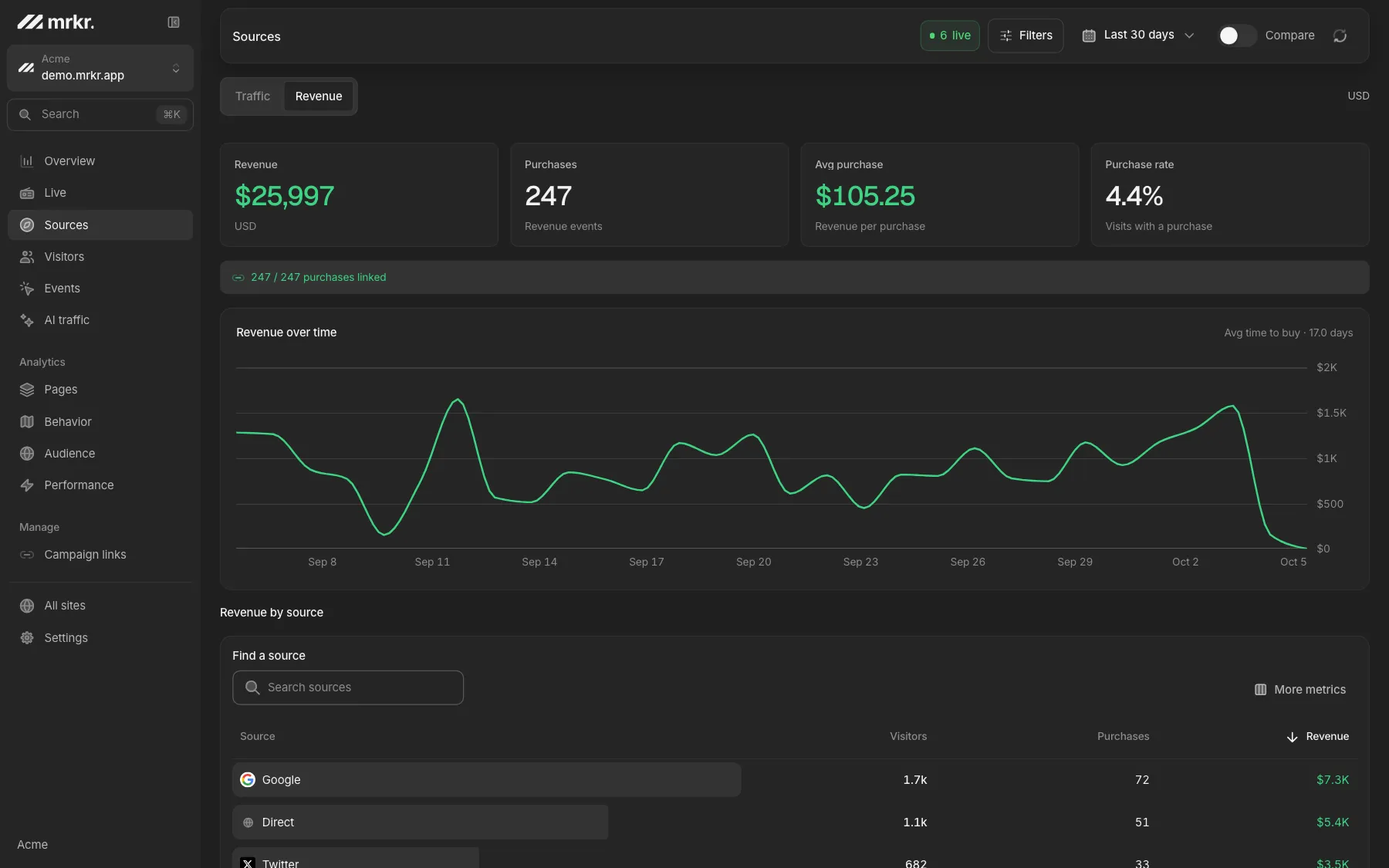
Revenue is credited to the traffic source captured on the session that sent the event. Sources shows visits, converting visits, conversion rate, revenue and revenue per visit together. It does not infer a first-touch or last-touch customer journey across sessions. Revenue without a matching session remains visible as Unattributed.
Revenue follows the time the event occurred within the selected range. A payment can belong to a session that began before that range, so a source can have revenue and zero new visits. Source and event filters apply to the matching session.
Stripe payments
In Settings → Stripe payments, add your site's webhook URL to Stripe and save its signing secret in mrkr. Select charge.succeeded, payment_intent.succeeded, checkout.session.completed and checkout.session.async_payment_succeeded. Checkout revenue requires payment_status=paid and a PaymentIntent reference. Unpaid completions, failed payments and free trials do not become revenue. All four deliveries share one PaymentIntent receipt, preserving its original recorded money, currency and success-event time.
Payment Links: no checkout code needed
Once Stripe is connected in mrkr, the tracker adds the current session as client_reference_id to https://buy.stripe.com links on your site. Existing merchant references are preserved. This identifies the original visit even if the customer never reaches your confirmation page. Stripe includes the reference in the paid Checkout Session webhook; see Stripe's Payment Link parameters.
In Stripe → Payment Links → After payment, choose a redirect to a page on your tracked site, such as the URL below. The tracker submits only the Checkout Session ID and originating visit. mrkr links them after the signed paid webhook arrives, regardless of delivery order. It never trusts a browser-provided amount. This also works with custom Checkout links if their success URL includes the same placeholder.
https://your-site.com/thanks?mrkr_checkout_id={CHECKOUT_SESSION_ID}?session_id={CHECKOUT_SESSION_ID} is also supported. Keep the mrkr tracker on the return page. For links created inside custom JavaScript, call mrkr.track('checkout_start') before opening Checkout, or use the helper below, so this tab remembers the originating visit. Return matching lasts up to 24 hours after payment and requires a recorded visit that began before the payment. A visit first recorded on the return page cannot recover an earlier source.
Checkout API: attach the session metadata
Capture metadata when checkout starts and send it to your server. Set it on the Checkout Session and, in payment mode, on its PaymentIntent as well. Session metadata is not automatically copied to PaymentIntent metadata; see Stripe's metadata propagation rules. Either signed delivery can then identify the same recorded visit.
const metadata = window.mrkr?.checkoutMetadata() ?? {};
await fetch("/api/checkout", {
  method: "POST",
  headers: { "Content-Type": "application/json" },
  body: JSON.stringify({ priceId: "YOUR_PRICE_ID", metadata })
});const body = await request.json();
const sid = body.metadata?.mrkr_session_id;
const metadata = typeof sid === "string" && /^[A-Za-z0-9_-]{1,128}$/.test(sid)
? { mrkr_session_id: sid }
: {};
const session = await stripe.checkout.sessions.create({
mode: "payment",
line_items: [{ price: "YOUR_PRICE_ID", quantity: 1 }],
success_url: "https://your-site.com/thanks?mrkr_checkout_id={CHECKOUT_SESSION_ID}",
cancel_url: "https://your-site.com/pricing",
metadata,
payment_intent_data: { metadata }
});Validate metadata.mrkr_session_id as a string of at most 128 letters, numbers, underscores or dashes on your server, and pass only that key. Keep prices and payment amounts under your server's control. For a same-origin native POST form, add data-mrkr-checkout; mrkr supplies a hidden mrkr_session_id field for your server to read. No other form values are collected.
For a PaymentIntent created directly, set its metadata.mrkr_session_id. mrkr links it only to an existing session belonging to the webhook's site, recorded before payment. Missing or other-site sessions leave revenue Unattributed; a source name alone cannot invent a visit. A paid subscription Checkout Session without a PaymentIntent reference cannot be reconciled by this webhook payload; its successful charge or PaymentIntent still records revenue. Recurring renewal attribution needs metadata on the payment itself.
Resend a missing payment
After correcting your webhook setup, open the original payment_intent.succeeded event in Stripe Workbench → Events and resend it to your site's mrkr endpoint. Stripe creates a fresh delivery signature; mrkr keeps the payment's original date and deduplicates its receipt. Check that date range and currency in Revenue. If the original payload lacks session metadata, the recovered payment appears as Unattributed.
Where it shows up
Revenue events feed three places: the Revenue dashboard (total revenue, a daily trend, and a breakdown by traffic source), the overview page's headline revenue figure, and the purchase-conversion count used alongside your other goals.