mrkr vs LogRocket.
LogRocket puts the console and the network waterfall next to the replay so an engineer can reproduce a bug. mrkr puts the campaign and the revenue next to it so you can decide where to spend.
In short
What is the difference between mrkr and LogRocket?
LogRocket is frontend monitoring: session replay joined to console logs, network requests, and JavaScript errors, aimed at engineers debugging production. mrkr is privacy-first web analytics with session replay joined to traffic source, campaign, and revenue. LogRocket is cookie-based. mrkr is cookieless by default.
The two products look similar in a screenshot and are bought by different people for different reasons. If the question is why did this break, LogRocket is the answer. If the question is which traffic is worth paying for, it is not.
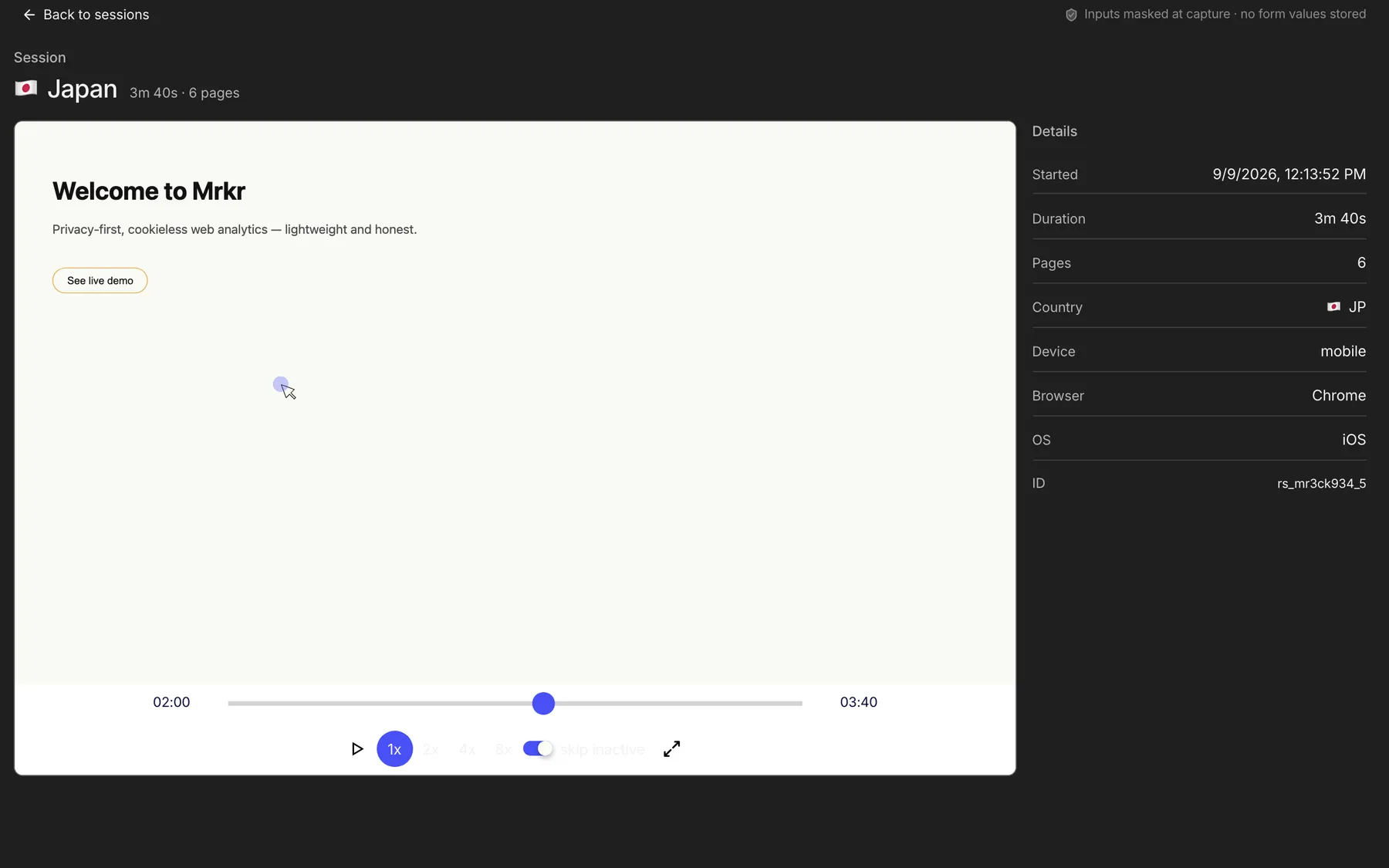
The replay knows what the visit was worth.
Every mrkr recording carries its acquisition context, so you can filter to sessions from one campaign, one landing page, or the ones that produced revenue. You lose the console and gain the money.
Where mrkr is better.
No consent gate by default
LogRocket sets cookies, so recording waits for a banner. mrkr in cookieless mode writes nothing persistent.
Acquisition you did not build
Referrers, campaigns, AI assistants, and bots classified, with revenue attached to the source.
One tool for the whole site
Traffic, funnels, revenue, and replay in one dashboard rather than two products.
Weight
Under 6 kB for the tracker, with replay capture enabled per site rather than always on.
Compared
Side by side.
| Feature | mrkr | LogRocket |
|---|---|---|
| Category | Privacy analytics with replay | Frontend monitoring and replay |
| Session replay | On every paid plan | Yes |
| Heatmaps | No | In its product-analytics module |
| Funnels | Yes | Yes |
| Saved cohorts | No | In its product-analytics module |
| Revenue attribution | Yes | No |
| Cookieless | By default (optional cookie mode) | No |
| Free plan | No, $1 for 14 days | A session-capped free tier |
| Entry paid price | $5/mo, 100K pageviews, session replay included | Session-volume pricing, A free tier, then paid tiers by monthly session volume |
| Console and network capture | No | Yes |
| JavaScript error tracking | No | Yes |
| Traffic sources and campaigns | Yes | Limited |
| Replay filtered by campaign and revenue | Yes | No |
| Core Web Vitals | Yes | Yes |
| Consent banner in the EU | Not in the default cookieless mode | Yes |
LogRocket details checked against the vendor's own pricing and feature pages on 2026-08-24. Where a vendor does not publish a fixed list price, this table says how they charge rather than guessing a number. Vendors change packaging often, so confirm before you buy.
Live demo
See replay and revenue in one place. The live demo has recorded sessions, traffic sources, and revenue attribution on the same dataset. No signup and no card.
Open the live demoWhere LogRocket is genuinely better.
Debugging context
Console, network waterfall, and state changes captured with the replay. mrkr captures none of it.
Error tracking
Exceptions grouped and linked to sessions. mrkr will not tell you a release broke checkout.
Engineering workflow
Issue trackers, source maps, release tagging. Built for the people who fix things.
Frontend performance detail
Per-request and resource-level timing. mrkr reports Core Web Vitals and stops there.
FAQ
Is mrkr a LogRocket replacement?
Not for debugging. LogRocket captures console output, network requests, and JavaScript errors alongside the replay, and mrkr captures none of that. If you bought LogRocket to reproduce bugs, mrkr does not replace it.
What does mrkr capture in a replay?
DOM mutations via rrweb, replayed as a reconstruction of the page, with the session metadata attached: referrer, campaign, landing page, country, device, and any revenue. No console, no network waterfall, no stack traces.
Does LogRocket need a cookie banner?
Yes. It identifies sessions with cookies, so in the EU, UK, and California consent comes first. mrkr in its default cookieless mode stores nothing persistent on the device and needs no banner. Cookie mode is an optional per-site setting, and it does bring consent obligations.
Can I run both?
Yes, and for a product team it is a reasonable split: LogRocket for engineering, mrkr for the marketing site and the acquisition numbers. Both load asynchronously.
Which is cheaper?
LogRocket prices by monthly session volume above a free tier. mrkr bills on pageviews only, with replay included rather than metered as a separate line, so recording more sessions does not raise the bill. Compare on your own volumes, because the two meters count different things.
Does mrkr do error monitoring?
No. mrkr reports Core Web Vitals, but it is not an error tracker and does not pretend to be. Pair it with a dedicated error monitor if that is what you need.
Start with one line of HTML.Your first visitors show up within a minute.